Other Notes
Helm
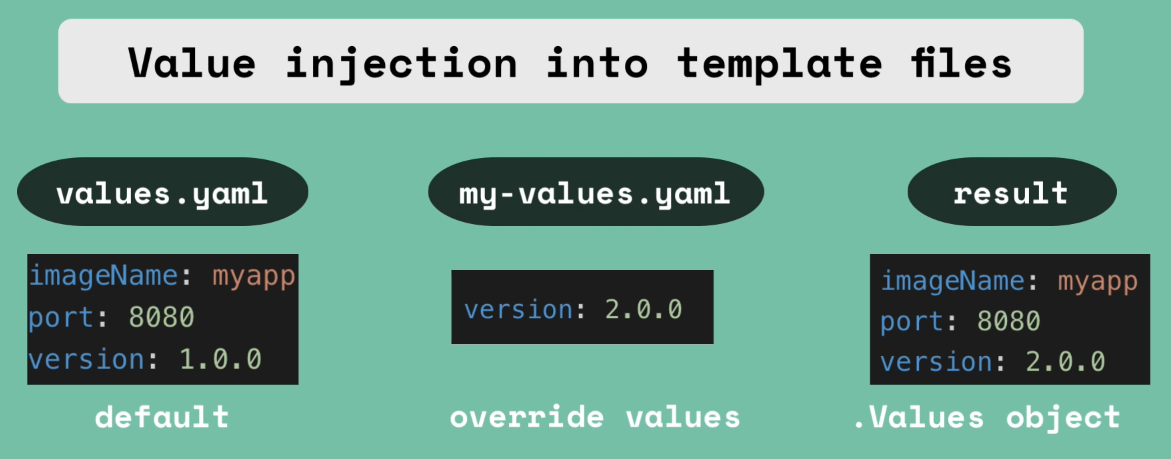
Helm is a package manager for Kubernetes, like apt, yum, or dnf for a Linux distro. It's useful for templating apps so that they can be easily be changed and deployed via that one or two .yaml files instead of needing an individual .yaml file for each pod, service, replicaset, deployment, etc. and having to deploy them in the correct order. It’s also useful for versioning and rollback. If an update/upgrade doesn’t go as planned, you can roll back to the previous version/config using the helm rollback command.
Namespaces
- Used to organize resources inside of a cluster
- Can also be thought of as a “virtual cluster inside of a cluster”
- 4 namespaces by default:
kube-system- not meant for your use, you should NOT modify or create in this namespacekube-public- publicly accessible data, has a configmap which contains cluster infokube-node-lease- heartbeats of nodes, each node has associated lease object in namespace, determines the availability of a nodedefault- resources you create are located here- You can create additional namespaces using
kubectl create namespace my-namespace - Can also use a configuration file - better than the
kubectl createcommand because it will have version history - Creating everything in the default namespace will make things crowded and confusing with different apps/services being co-mingled
- New namespaces can organize things logically, like by type of app (database, monitoring, elastic stack, nginx-ingress, etc.)
- Conflicts - many teams, same application
- Same name, different configuration would overwrite another team’s deployment
- Resource sharing - staging and development environments
- Blue/Green Deployment (2 different versions of production), but using the same resources
- Limit access between namespaces so teams can’t interfere with another team’s work
- Also can limit CPU, RAM, storage per namespace
Considerations
- You can’t access most resources from another namespace
- CAN access services in another namespace
- Some components live in the global cluster and can’t be isolated to a namespace
- volumes and nodes
- If a namespace isn’t specified, the default is used
Commands and Tools
- To create a ConfigMap in a specific namespace, use the
kubectl apply -f mysql-configmap.yaml --namespace=my-namespacecommand - Can also declare it in the .yaml file itself - better because it’s “documented” better than just running the command directly
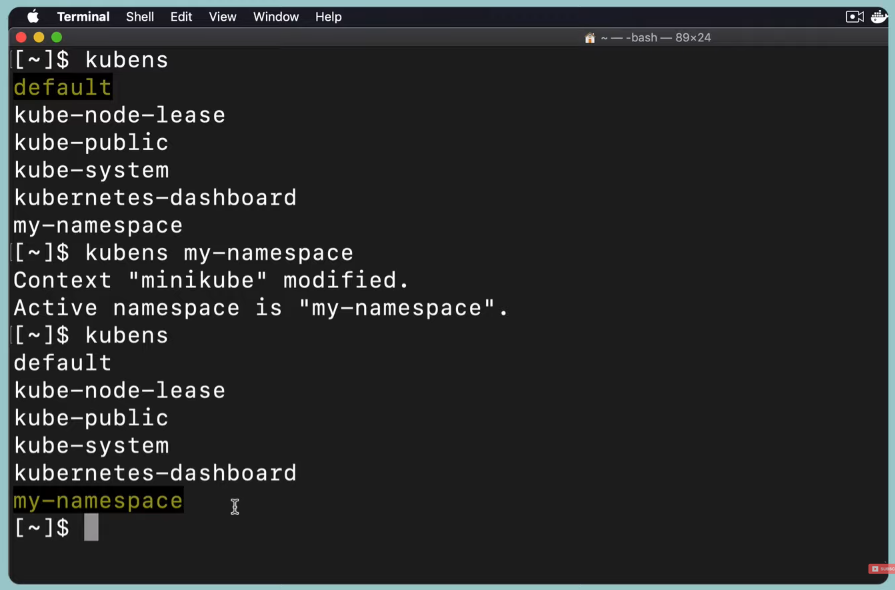
- To change the active namespace, you need to run/use the
kubenstool which is part of Kubectx
Kubernetes Volumes
- Kubernetes does not provide data persistence out of the box and it must be configured so that its persistence is not impacted by the pod lifecycle
- When a pod is deleted and re-created you don’t know which node it will be deployed on, so the storage must be available on all nodes
- Storage needs to survive even if the cluster crashes
Types of storage covered
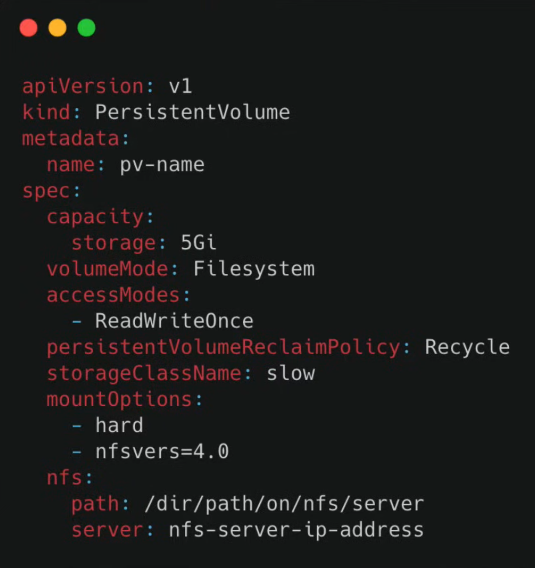
- Persistent Volume - is a cluster resource just like CPU, RAM, etc.
- Declared in a config .yaml file as
kind: PersistentVolume - Storage will actually be allocated, so needs to be on local disk, NFS server, cloud storage, etc.
- You need to create and manage them yourself
- Persistent volumes are not namespaced and will be available to the whole cluster
- Local volume types violate #2 and #3 above
- Important data like DB that require prioritized persistence should use cloud storage
- Persistent Volume Claim - applications have to claim the persistent volume
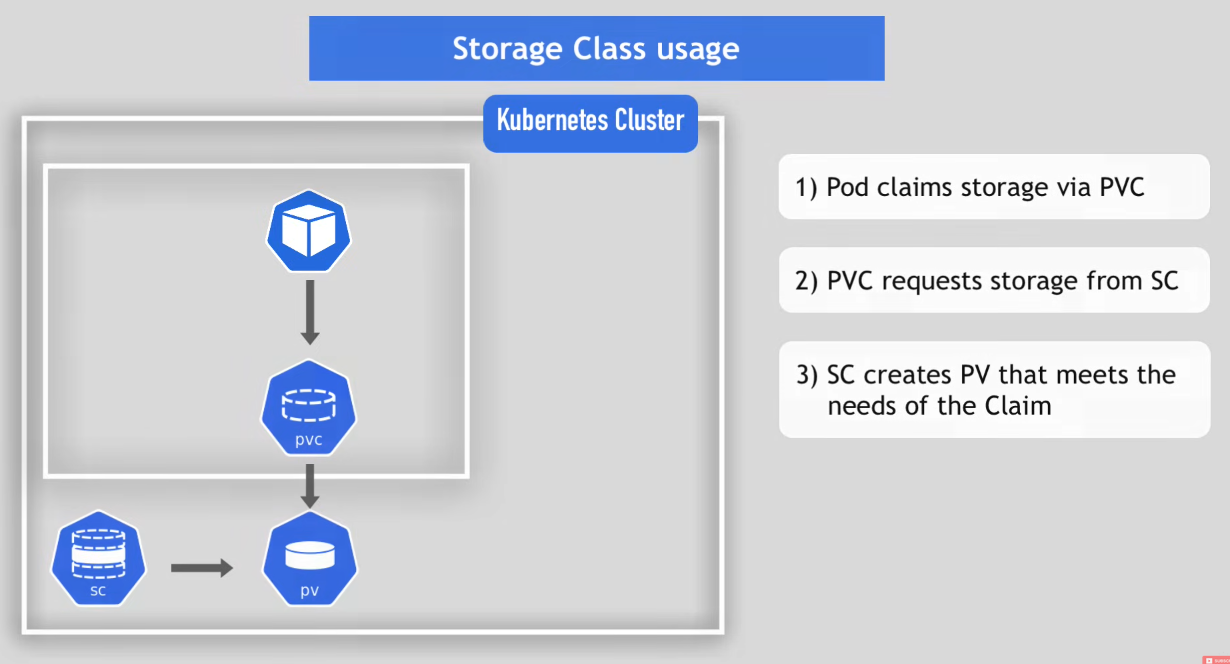
- Pod requests the volume through the PV claim
- Claim tries to find a volume in the cluster that satisfies the claim
- Volume has the actual storage backend
- Claims must exist in the same namespace as the pod
- Why so many abstractions for data storage?
- The admin needs to create the storage and make it available
- The user just wants their data to be stored safely and reliably, they don’t care about where or how it’s stored
- The user doesn’t want to set up the actual storages themselves
- Storage Class - provisions and creates Persistent Volumes dynamically when Persistent Volume Claim claims it
- Also created via .yaml config file as
kind: StorageClassvia theprovisionerattribute
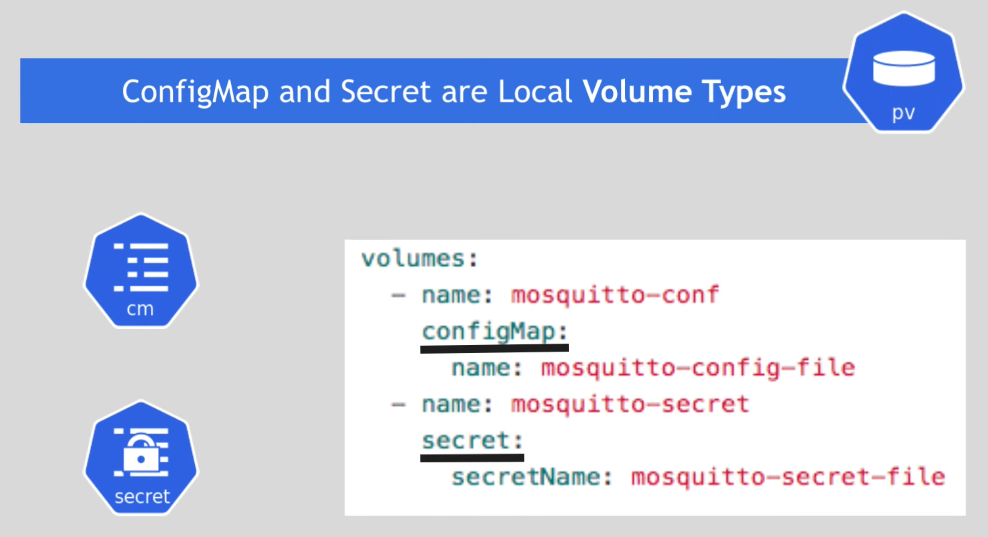
- ConfigMap and Secret
- Local volumes
- Not created via PV and PVC
- Managed by Kubernetes\
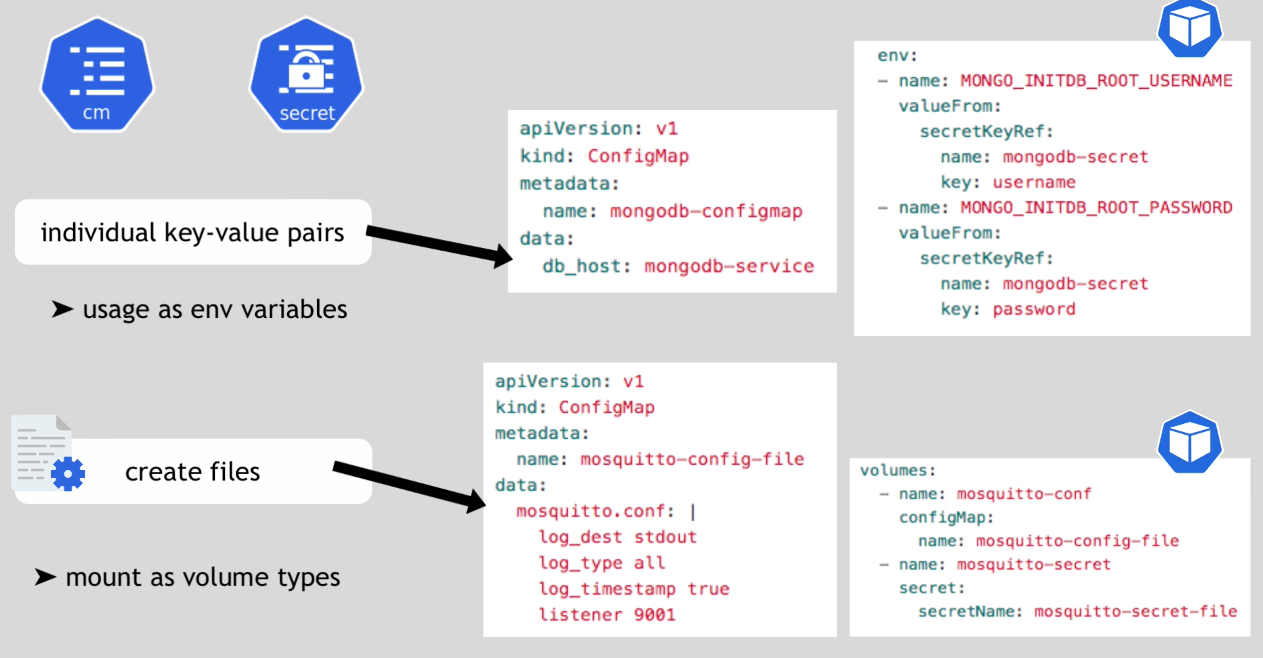
- Individual key-value pairs - usage as .env variables
- Create files - mount as volume types