Tailscale in LXC Containers
https://youtu.be/JC63OGSzTQI?si=X-goIh6UUjBkvzld
Adding Tailscale to an LXC Container in Proxmox
- Create the LXC container, or alternatively select one that’s already created that you’d like to add Tailscale functionality to
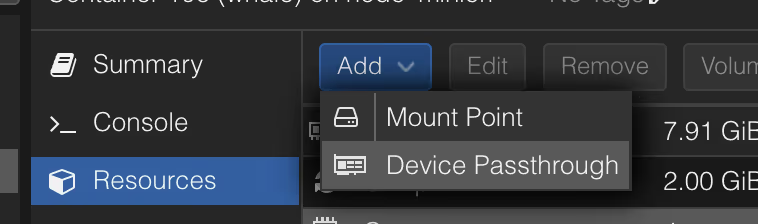
- Navigate to the Resources tab of the container
- Click Add > Device Passthrough
- Enter
/dev/net/tunin the Device Path field and click Add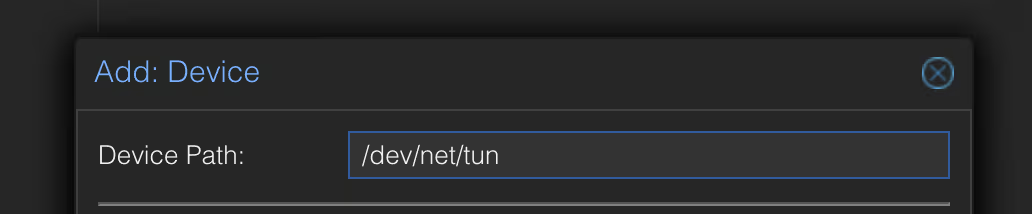
- If the container is running, shut it down completely and start it up again.
- Once the device is passed through and available, Tailscale will be able to be installed and start up properly
- Check connectivity by running
tailscale statusin the LXC console