Crash Course: Kubernetes for Absolute Beginners Course Notes
Kubernetes Overview & Kubectl
- Also known as K8s, was built by Google based on their experience running containers in production
- Containers vs. Orchestration. Kubernetes is a container orchestration technology that manages and deploys thousands of containers in a cluster
- Docker images/containers are self-contained so that they have all pre-requisites included and can be run on any machine with Docker installed and is guaranteed to run the same way everywhere
- Platform (K8s) needs to orchestrate connectivity between containers and automatically scale up or down based on the load
- Docker Swarm, Kubernetes, MESOS (Apache)
Architecture
- Nodes - a machine - physical or virtual - where Kubernetes is installed
- A worker node is where containers will be launched by Kubernetes
- Cluster - a set of nodes grouped together
- if one node fails, the app is still up
- Master node has K8s installed and watches over the worker nodes and is responsible for orchestrating the other worker nodes
Kubectl
kubectl run hello-minikube runs an applicationkubectl run nginx-pod --image=nginx creates a pod named nginx-pod and runs image nginxkubectl cluster-info used to view information about the clusterkubectl get nodes lists all nodes
Pods
- Goal of Kubernetes is to deploy applications running inside containers on machines configured as worker nodes in a cluster
- Kubernetes does NOT deploy containers directly on the worker nodes
- Containers are encapsulated inside a Kubernetes object known as pods
- A pod is a single instance of an application, and is the smallest object you can create in K8s
- If demand increases, spin up a new pod with a new instance of the same application running inside of it
- Pods usually have a 1:1 relationship with containers running the application
- To scale up, you add a new pod, and to scale down, you delete pods; you do not add another container to an existing pod
- A pod CAN have multiple containers, they just would not be of the same application
- Helper containers that need to live alongside the application container
kubectl run nginx --image nginx- Image is pulled from Docker Hub, but you can configure it to pull from a private repository as well
kubectl get pods will show the list of pods and their state
YAML - Part 1
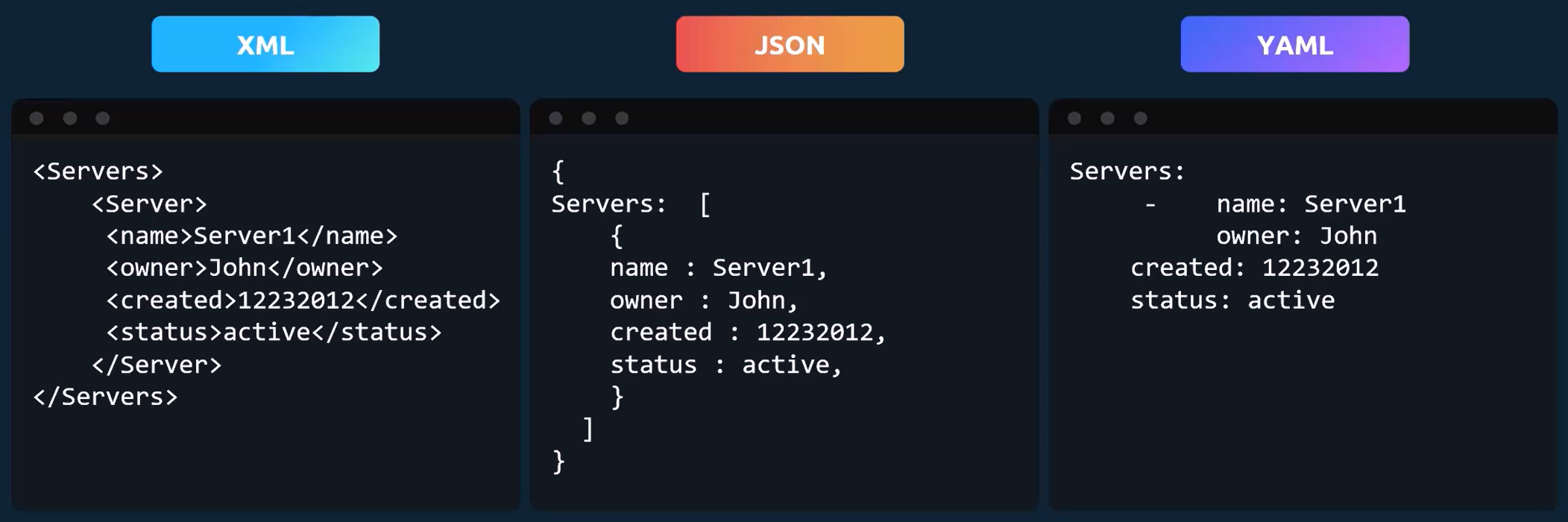
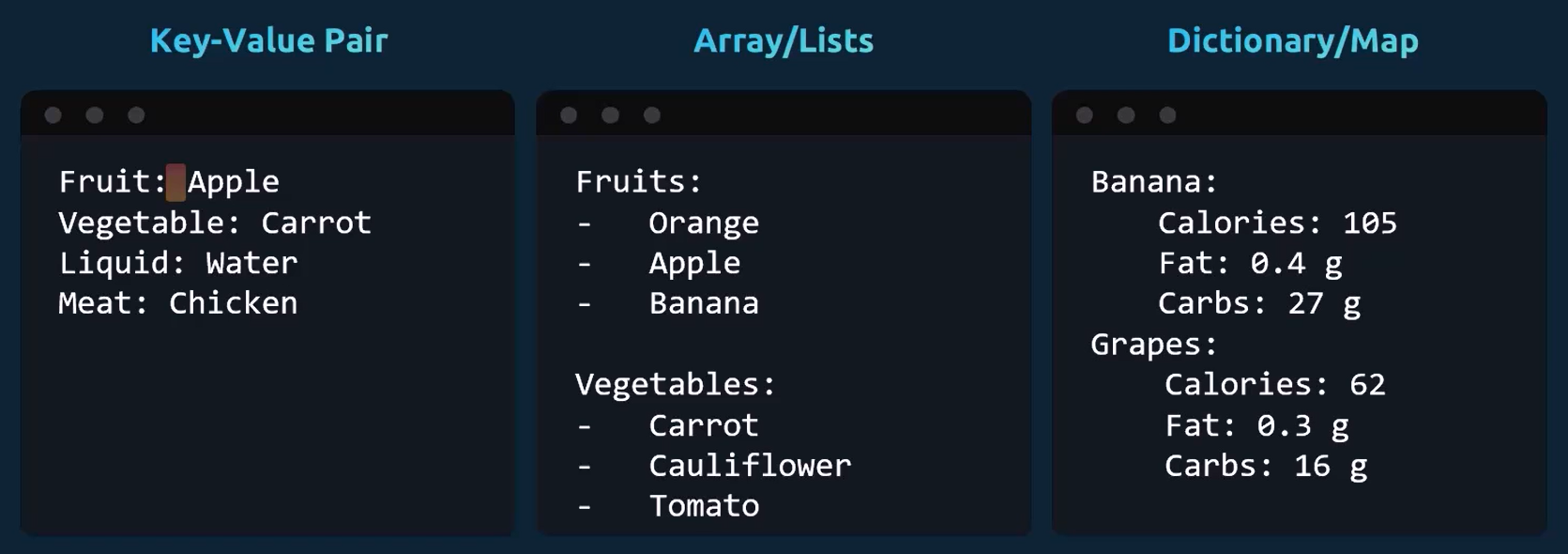
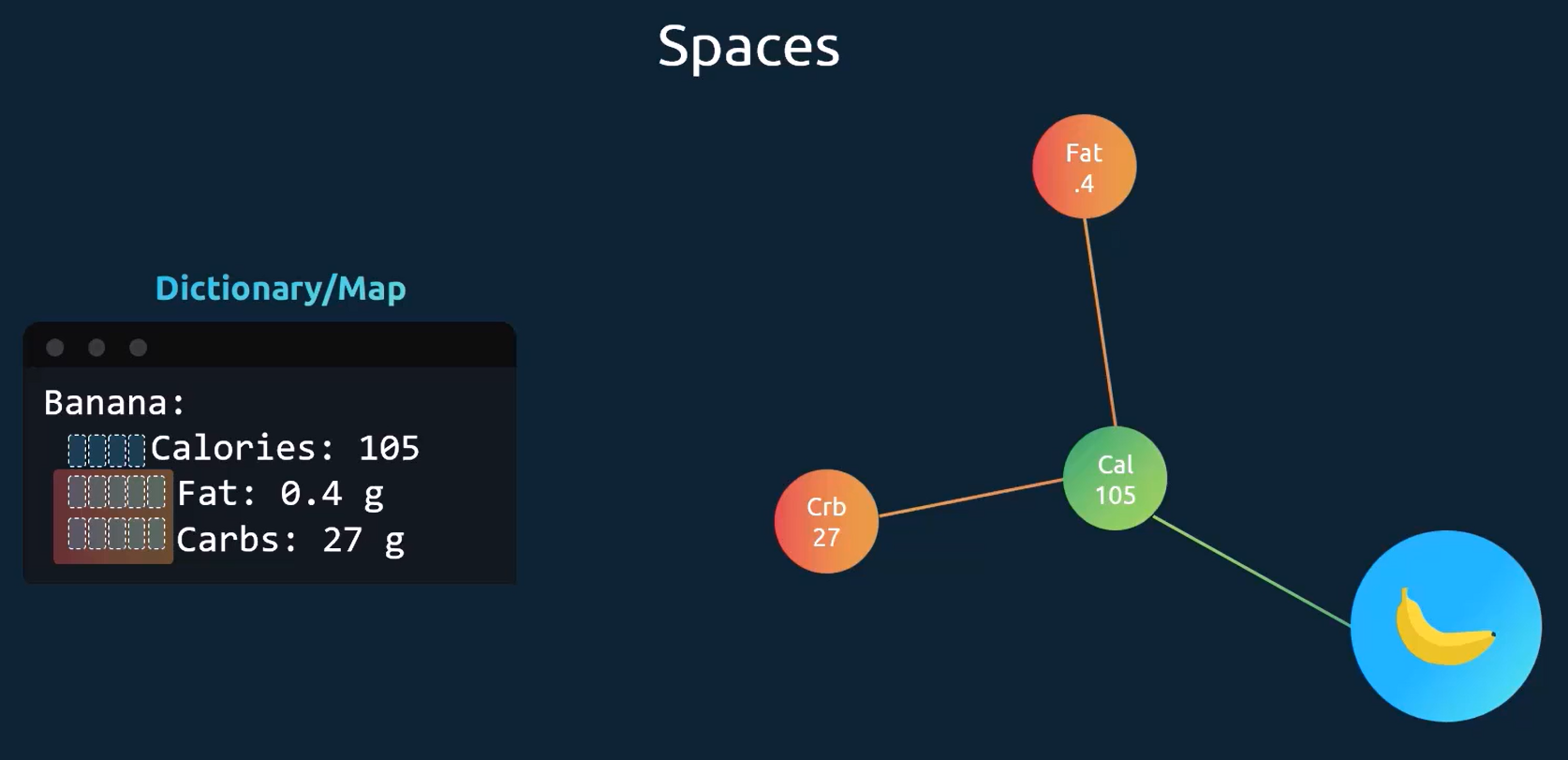
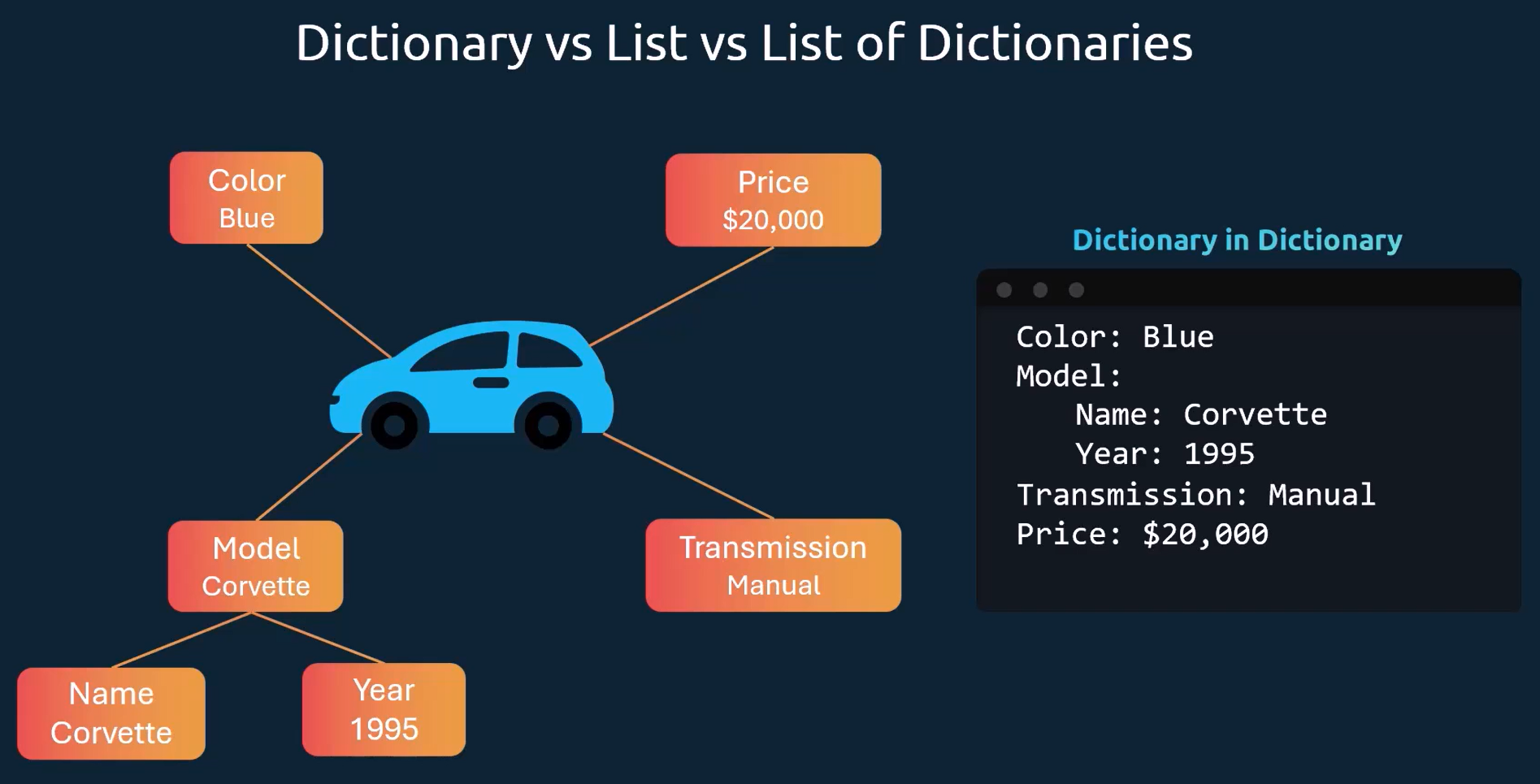
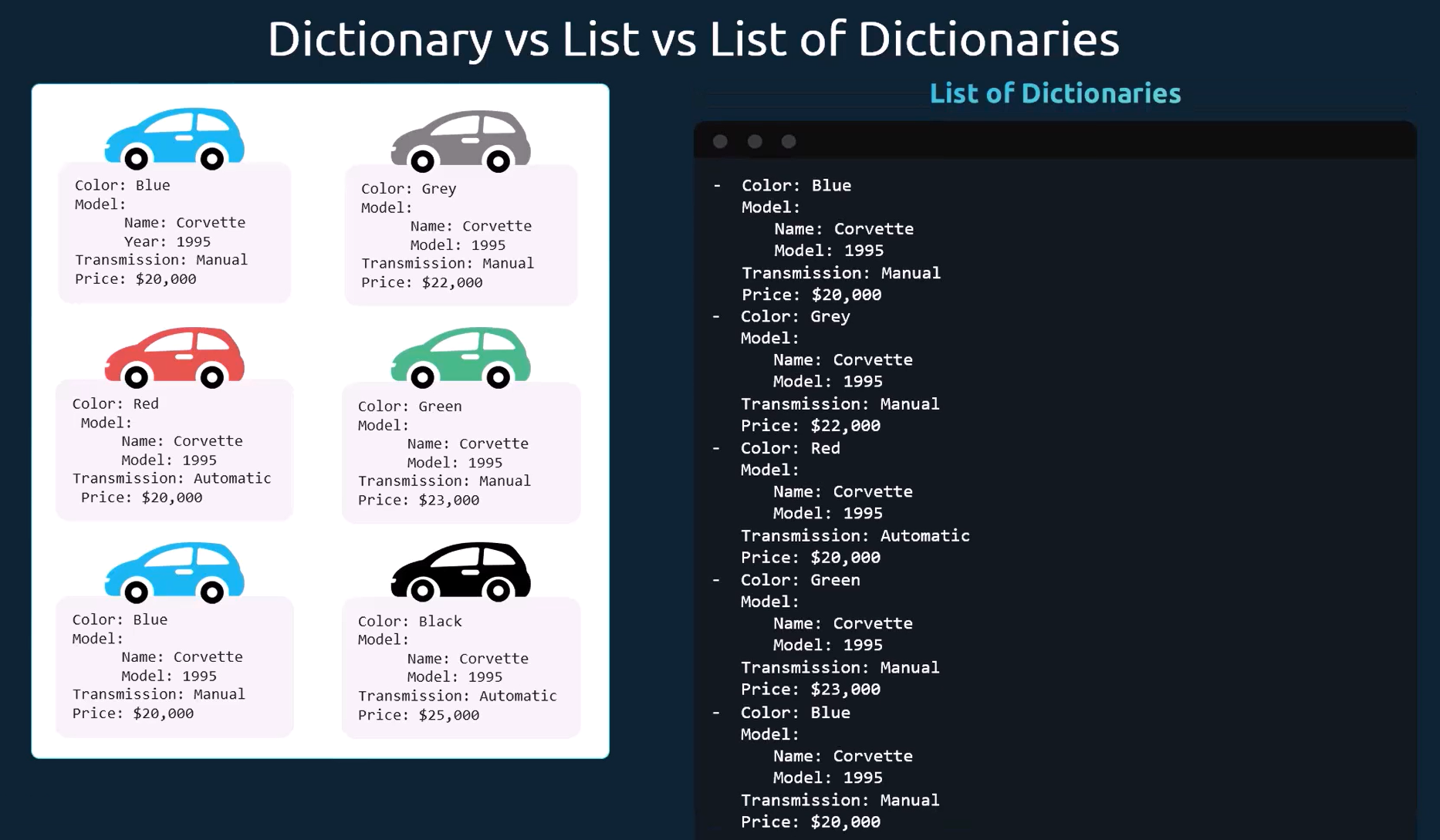
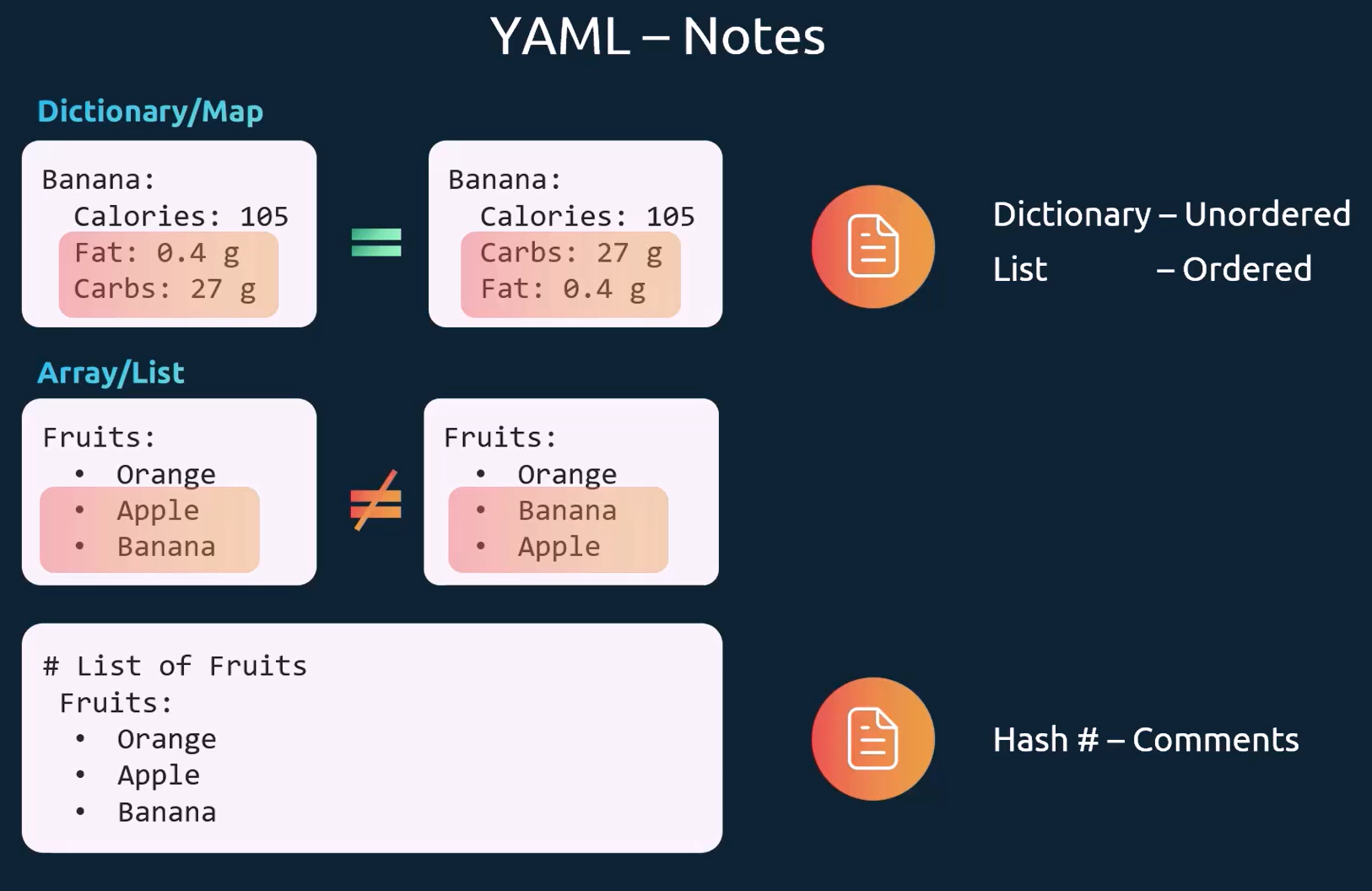
- The number of spaces before each property is key in YAML
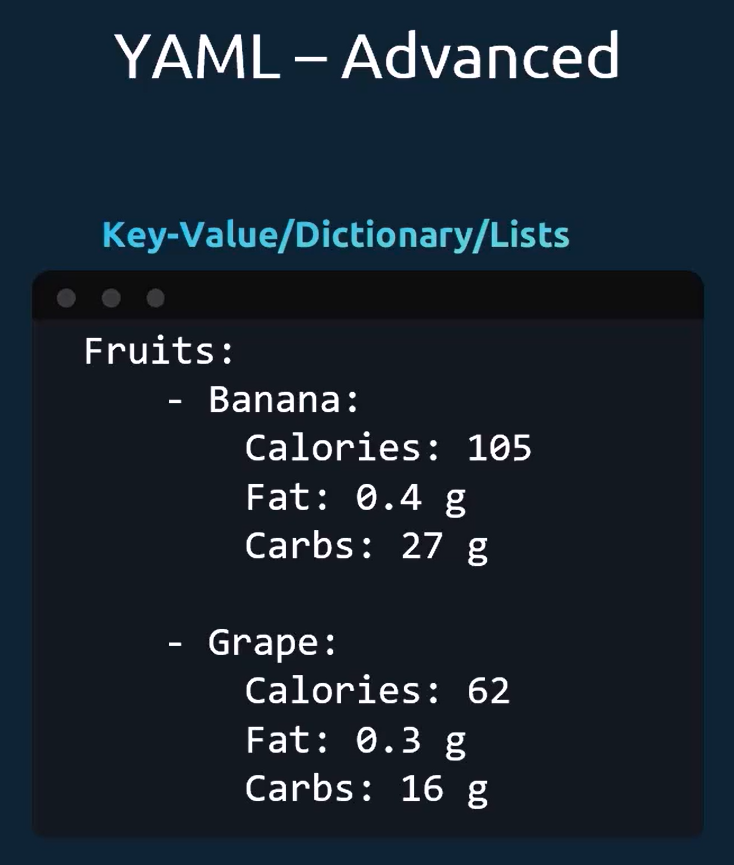
YAML - Part 2
Pods with YAML
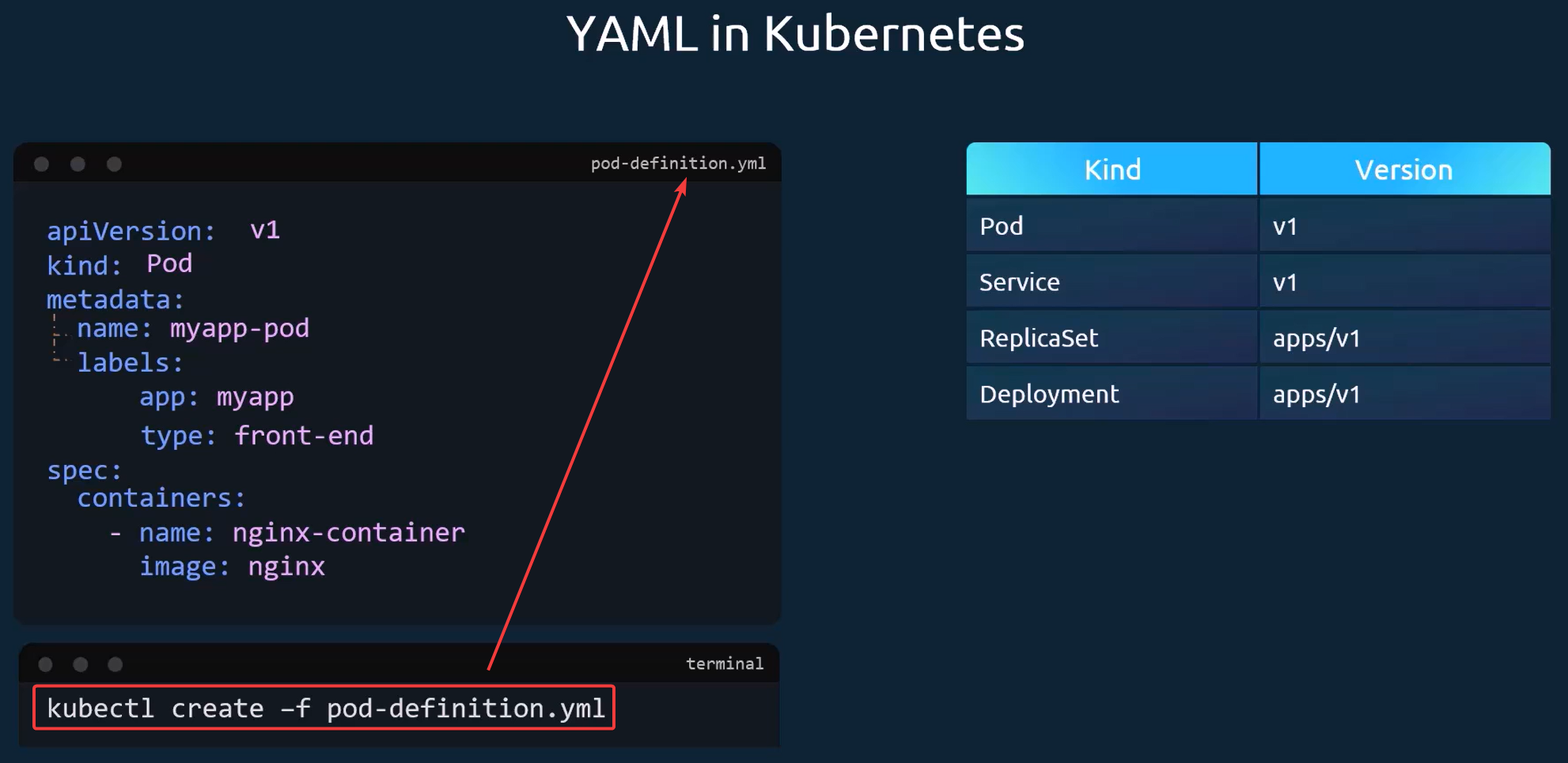
- A Kubernetes definition file ALWAYS contain 4 top-level fields:
apiVersion: - the version of the Kubernetes API you are using to create the object (v1 and apps/v1 are examples)kind: - type of object you are creating
- Pod, Service, ReplicaSet, Deployment
metadata: - data about the object; in the form of a dictionary
- name, labels, app, type, etc.
spec: - specifications of the object being created
- It will be different depending on the type of object being created, so it is important to understand or consult the help/docs to get the correct format for each
- containers: → - name:, image:
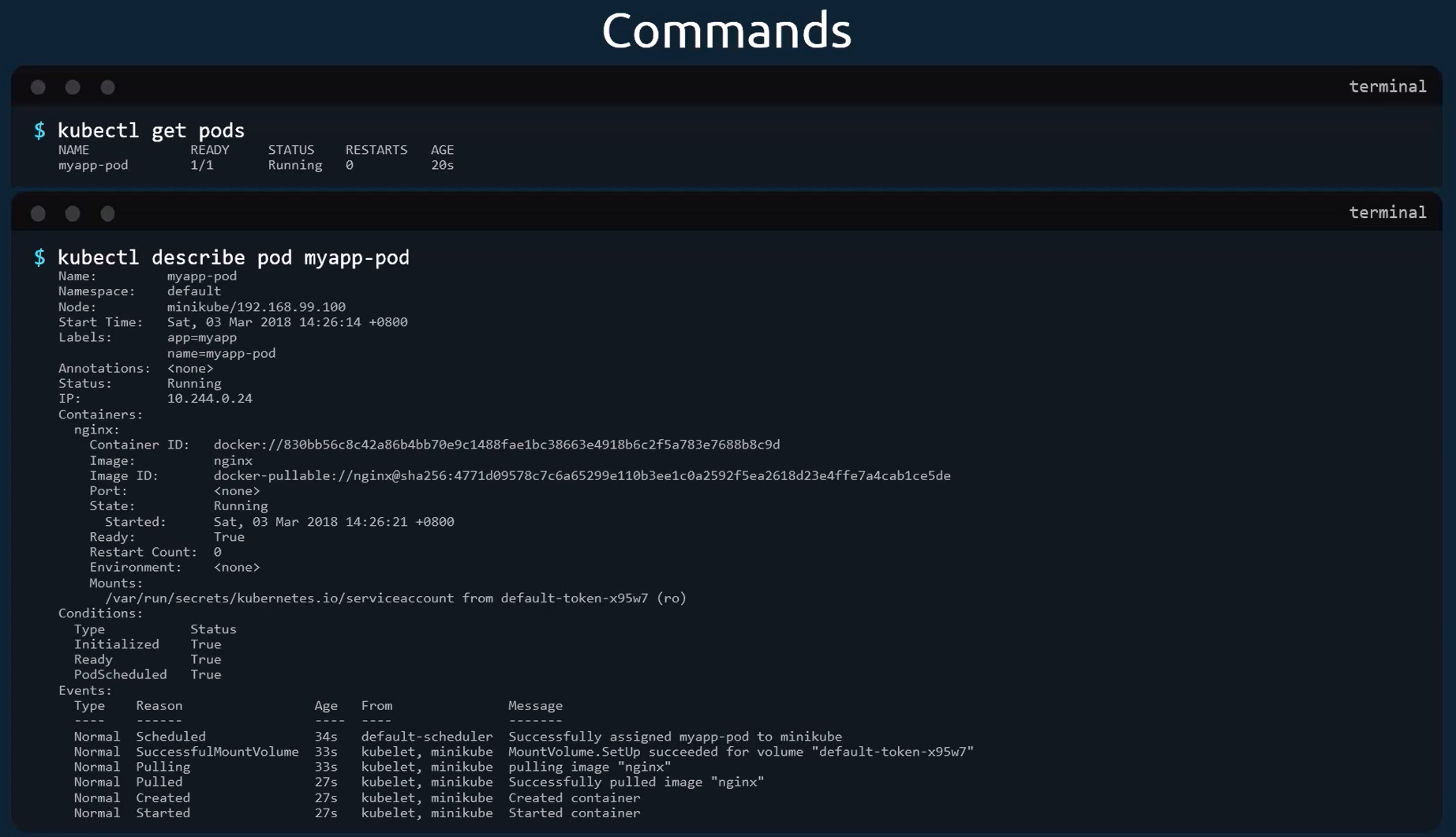
kubectl describe pod myapp-pod
apiVersion: v1
kind: Pod
metadata:
  name: web-pod
  labels:
    app: web
    env: prod
spec:
  containers:
    - name: nginx-container
      image: nginx
# Re-deploy a pod that previously had issues
kubectl apply -f /root/broken-pod.yaml