Rules for Docmost Public Links
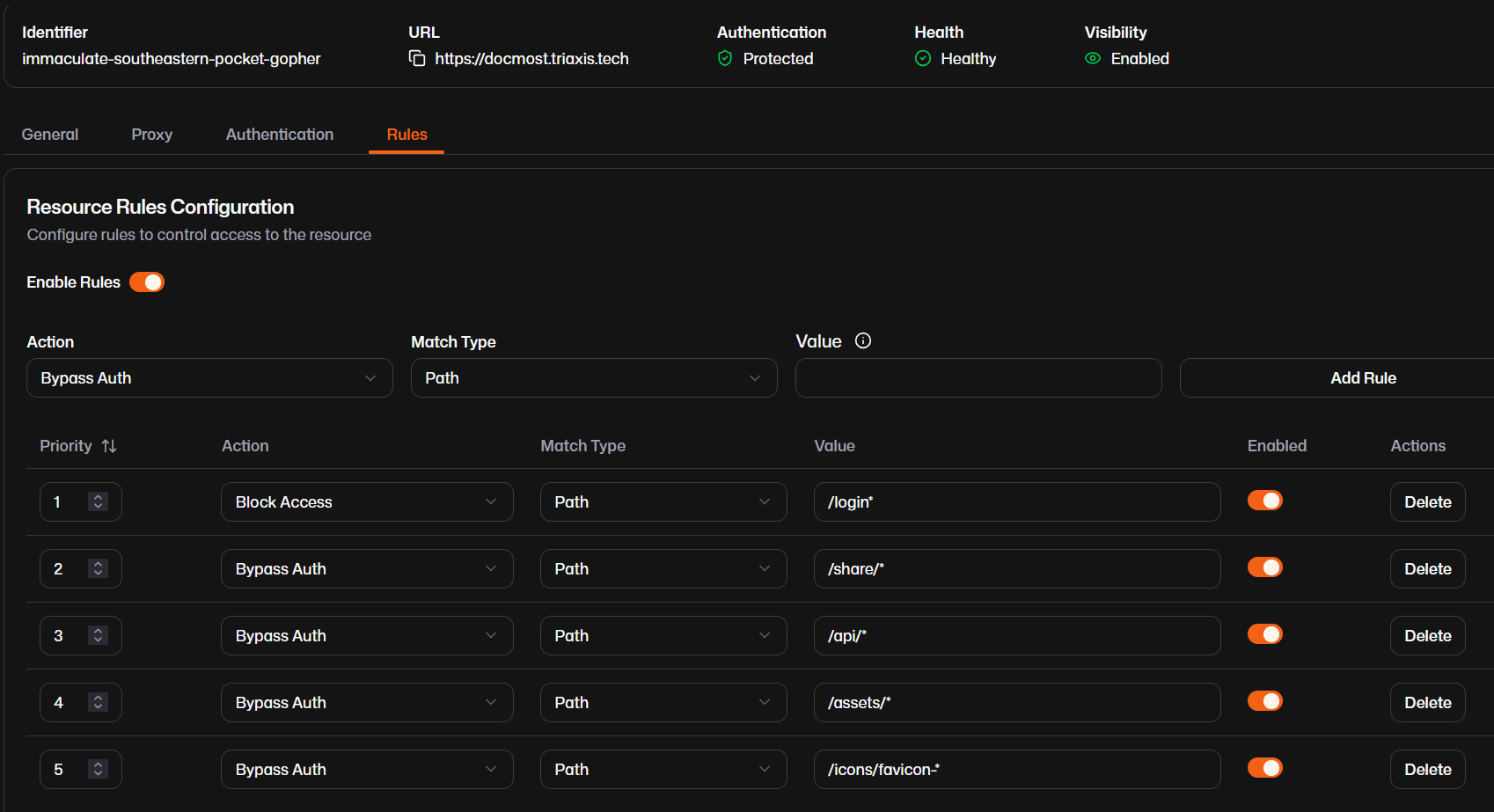
- Edit the Docmost resource and select the rules tab
- Toggle the button next to Enable Rules to the “on” position to enable the rules for the resource
-
Add the following rules:
-
Block Access - Path -
/login* - Bypass Auth - Path -
/share/* - Bypass Auth - Path -
/api/* - Bypass Auth - Path -
/assets/* -
Bypass Auth - Path -
/icons/favicon-* -
Click Save All Settings when finished